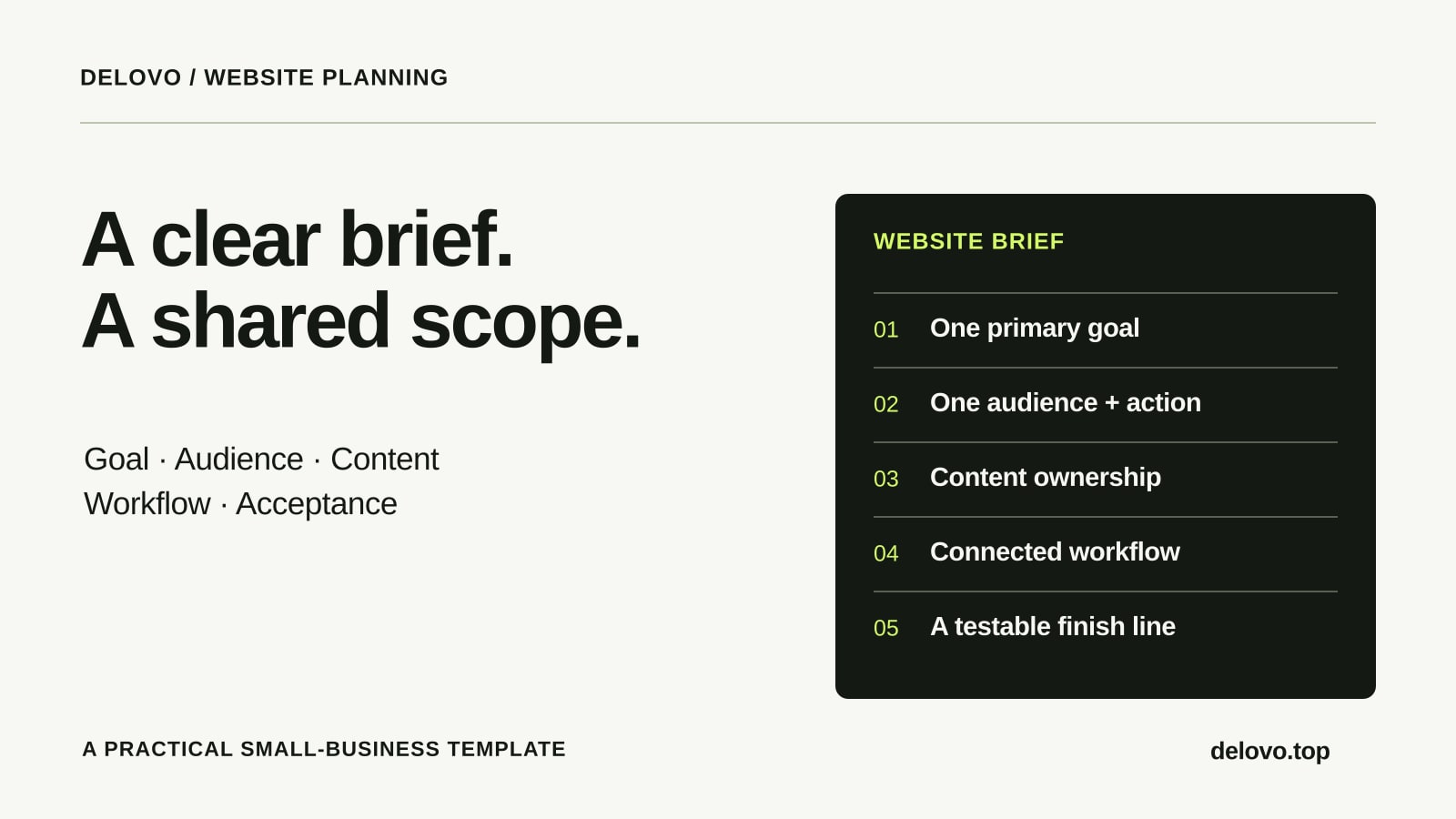
A useful website brief explains what customers need to do, what your business needs to achieve, and what must be ready for launch. You can start with a page or two. Clear decisions matter more than technical vocabulary.
Use the template below before requesting proposals. It helps suppliers price the same scope and gives your team a way to decide whether the finished website works. You can also use it to check whether improving your existing site would be enough.
Start with the problem you can observe
Write down the friction behind the project. Perhaps customers cannot tell which service fits, enquiries arrive without essential details, or staff cannot update the site without help. Include evidence you already have: recurring questions, examples of unsuitable enquiries, or pages customers struggle to use.
Then choose a primary outcome. “Make the business look more professional” needs a practical definition. “Help facilities managers understand our maintenance plans and request a relevant quote” gives the project a direction.
Record today's baseline if you can: qualified enquiries received, incomplete requests, or staff time spent clarifying them. Choose a review period after launch. Treat improvement as something to measure, rather than a result the website can guarantee.
Describe the visitor and the next step
Specify your main customer, the situation that brings them to the site, and the decision they need help making. A returning customer looking for support needs a different path from someone comparing suppliers.
For each important journey, answer three questions:
- What does the visitor need to understand?
- What evidence will help them decide?
- What should they do next, and what happens after that?
Write down actual customer questions before inventing audience profiles. This follows the useful principle in the GOV.UK Service Manual's user-needs guidance: investigate people's problems before choosing a solution.
For international buyers, include supported languages, service locations, currencies where relevant, and the time zone used for appointments. Distinguish translated pages from a promise to provide customer support in that language.
Define the first release and its content
List pages by the job they do. A service page explains scope and suitability; a project page provides credible evidence; a contact page enables an enquiry. Avoid adding sections simply because a competitor has them.
For each page, name the person who will supply and approve copy, images and facts. Mark missing material. If the supplier is writing the copy, say who will check claims and provide source information. Do not plan around testimonials, certifications or case studies that you do not have permission to use.
Separate essentials from later ideas
Use three groups: required at launch, useful later, and outside this project. A quote form may be essential; customer accounts may be unnecessary until customers have a recurring reason to log in.
For each feature, describe its behavior. “Contact form” leaves important questions open. Specify required fields, recipient, confirmation message, spam handling, and what visitors see if submission fails. If it connects to a CRM, identify the destination and who checks unassigned enquiries.
An existing website builder, CMS, booking tool or form service may already cover the need. Custom development becomes easier to justify when you can explain the specific workflow, integration or experience that available tools cannot support adequately.
Make quality requirements testable
Replace broad words such as “fast,” “accessible” and “SEO-ready” with agreed checks.
Usability and accessibility
Name the key journeys and devices to test. Ask for keyboard operation, understandable form labels and errors, readable contrast, and a usable layout at smaller screen sizes. Agree on an accessibility target and evaluation scope. W3C's WCAG overview explains its testable success criteria and conformance levels. A short checklist or automated scan alone should not be presented as proof of full conformance.
Performance and search
Agree which representative pages will be tested, under which device and network conditions, and how performance will be checked after launch. Google's Web Vitals guidance distinguishes real-user measurements from development testing. A good result from one test run does not describe every visitor's experience.
Define search deliverables such as descriptive page titles, crawlable public pages and redirects for changed URLs. Ask who will check the existing site's important pages before replacing it. Google's SEO Starter Guide makes clear that good practice does not guarantee indexing or first-place rankings.
Ownership and ongoing care
Specify who controls the domain, hosting and third-party accounts; who can edit content; and what handover includes. Separate the launch price from recurring subscriptions, maintenance and future changes. Name the owner of form-delivery checks and recovery if something stops working.
A website brief template you can copy
Complete these fields in plain English. Write “to be decided” where necessary, and assign someone to resolve it.
- Business and offer: What do we sell, where do we operate, and what makes us a suitable choice?
- Current problem: What is difficult today? What evidence supports this?
- Primary audience: Who is visiting, what do they need, and which languages do we support?
- Main outcome: What customer action matters? How will we judge its quality?
- First-release pages: Which pages are required, and what is each page for?
- Content responsibility: Who supplies, writes and approves text, photographs, translations and evidence?
- Required functionality: What must each form, booking flow or account area do?
- Existing systems: Which website platform, CRM, calendar or other tools must remain? Which connections are essential?
- Data and access: What information is collected, who needs it, and who decides retention and access rules?
- Quality and acceptance: Which journeys, devices, accessibility target and performance checks will be evaluated?
- Budget and timing: What is the budget range, what does it include, and which deadline has a real business reason?
- Decisions and handover: Who approves scope and launch? What access, training, documentation and support are needed?
Add two or three reference websites with specific comments: “clear service comparison” or “simple mobile enquiry.” Explain what is relevant rather than asking for a copy.
Hypothetical example: a maintenance company
Imagine a small commercial maintenance company whose enquiries often omit the property type and location. This is a planning example, not a Delovo client case or a measured result.
Its first release could include service pages, coverage information, approved project photographs and a quote-request form. The form asks for location, property type, service need and a reply route. It explains that sending a request does not confirm a visit.
The team postpones online payments and customer accounts because neither is required to assess an enquiry. Its acceptance test follows a request from a phone through confirmation to the responsible employee. After launch, the team compares enquiry completeness and clarification effort with its baseline.
Check the brief before requesting quotes
- One person owns decisions and can resolve conflicting feedback.
- Launch essentials are separated from optional work.
- Missing content has an owner and a realistic delivery date.
- The proposal must state assumptions, exclusions and recurring costs.
- Acceptance tests cover successful actions and failure messages.
- Changes to scope require an agreed effect on cost and timing.
If the project also includes an automated enquiry flow, Delovo's Telegram bot CRM integration guide shows how to define that handoff more precisely.
Ready to discuss the website? Send Delovo your project brief, including the main customer journey, existing tools, essential pages and budget range. A process description is enough for the first conversation; leave out customer records, passwords and API keys.
Sources and further reading
- GOV.UK Service Manual: Learning about users and their needs
- W3C WAI: WCAG 2 Overview
- W3C WAI: Selecting Web Accessibility Evaluation Tools
- Google web.dev: Web Vitals
- Google Search Central: SEO Starter Guide
Platform features can change. Check the linked official documentation when planning your project.