Start with one job you can review
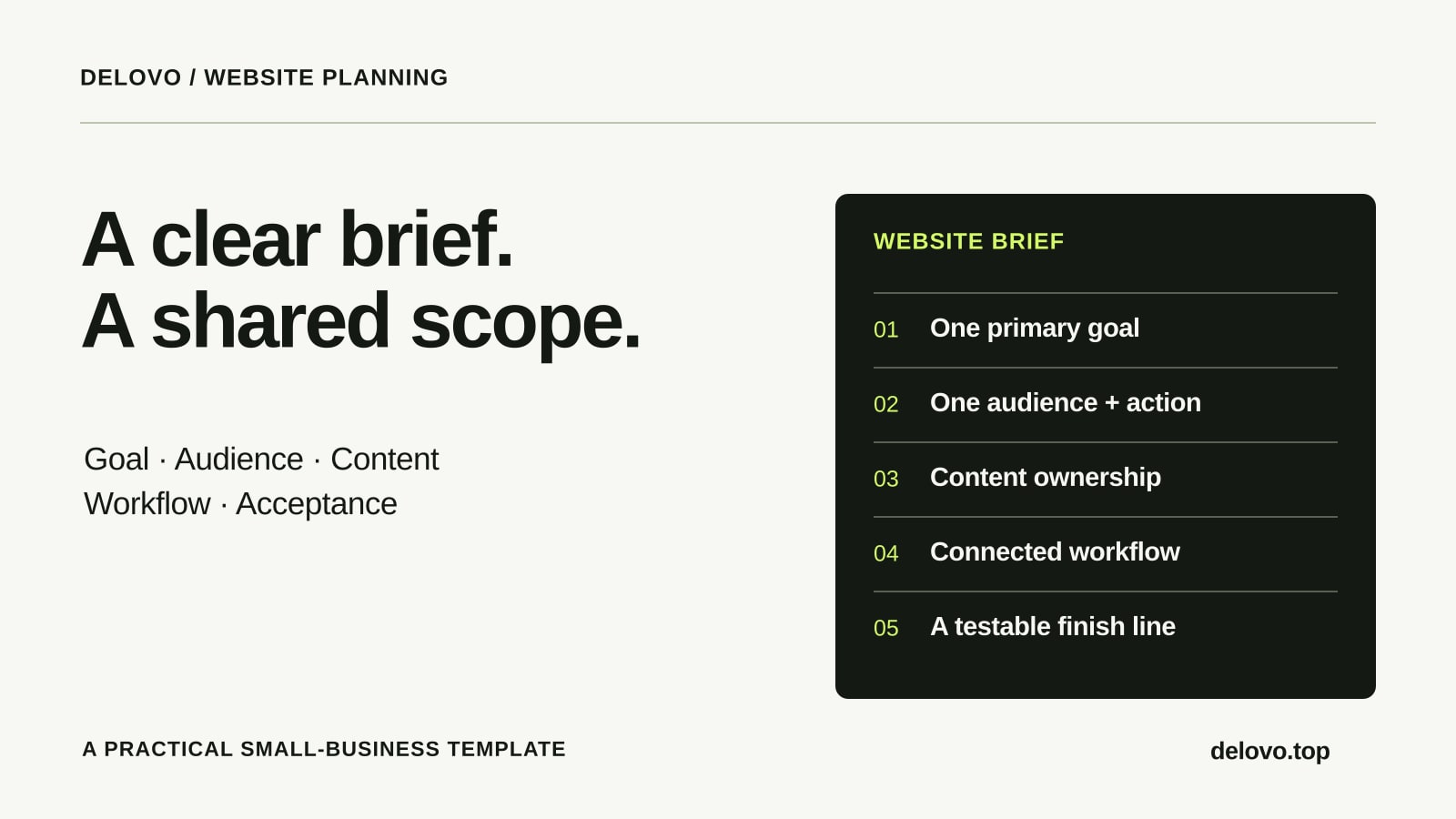
A useful first AI project has a clear input, an output somebody can check and a defined place in the existing process. Before choosing a model or connecting your systems, complete the brief below for one workflow.
This checklist is intended for a small business deciding what to build first. It includes a blank template and a completed print-shop example. The example is hypothetical, and its tests are proposed requirements rather than results from a deployed system.
Choose work that needs interpretation, such as turning an inconsistent customer inquiry into an internal brief. If the job only copies a known field according to a fixed rule, ordinary automation may be a simpler starting point.
The fillable first-workflow brief
Copy the fields below into your planning document. Replace each blank with a concrete answer. An unresolved source, permission or owner is a decision to settle before the affected feature goes live.
| Field | Your answer |
|---|---|
| Job and boundary | Turn [input] into [output] for [team]. Include [cases]; exclude [cases]. |
| Trigger and input fields | Start when [event]. Required fields: [list]. Missing information should [behavior]. |
| Sources and access | Use [system or document] for [fact]. Retrieve only records available to [role or customer]. |
| Output and destination | Create [draft or proposed change] in [location], with [source references]. |
| Allowed actions | May read [records] and prepare [output]. May change [specific fields, if any]. |
| Approval and prohibitions | [Role] reviews [action]. Never [send, commit, disclose or modify specified items]. |
| Exceptions and handoff | When [condition], send [context] to [queue and owner]. Fall back to [manual process]. |
| Acceptance and baseline | Test [cases]; require [observable outcomes]. Compare [review time, rework and cost] with [current process]. |
| Data and operations | [Owner] approves data handling, retention, spending limit and pause conditions. |
Completed example: prepare a print-shop inquiry
Consider a print shop whose estimator reads incoming sales emails and asks follow-up questions before quoting. The first AI workflow prepares an internal estimate-request card. The estimator remains responsible for the quote.
Job and boundary: process new requests for catalog products from the shared sales inbox. Exclude complaints, payment instructions and requests to alter existing orders; route those to staff.
Trigger and fields: a staff member marks an inquiry “prepare brief.” Extract the source message ID, product requested, quantity, dimensions, finish and requested delivery date. Record whether artwork was attached. Keep missing values blank and label ambiguous dates or units.
Sources: use the customer’s message for requested specifications and the approved product catalog for valid product codes. Match the sender to an existing customer only when the system has an unambiguous authorized match. The email cannot redefine catalog entries or access permissions.
Output: create a draft estimate-request card containing extracted fields, the original message reference, unresolved questions and evidence for each mapped product. A requested deadline is a customer preference, not a delivery commitment.
Allowed actions: read the selected inquiry and relevant catalog entries; create or update its draft card. Do not send a reply, issue a price, reserve production capacity, modify a customer record or confirm an order.
Approval: the estimator checks the source and proposed card, then accepts, edits or rejects it. Quoting and customer communication continue through the existing process.
Exception handoff: an unknown product, conflicting dimensions, multiple customer matches or an unavailable catalog creates a review-needed card with the reason. The estimator opens the original inquiry and handles it manually. A failed card write must not mark the inquiry complete.
Ownership: the estimating lead owns field definitions and catalog changes; the person responsible for the integration owns failures, access and usage alerts. Assign real people to those roles before a pilot.
Make acceptance criteria specific enough to test
Build a test set from appropriately approved or de-identified inquiries. Include common requests and difficult cases. For the print-shop example, these checks define what to observe:
| Input or failure | Required outcome |
|---|---|
| Complete request for a catalog product | Draft preserves quantity, dimensions, finish and requested date; mapped product points to its catalog source. |
| Missing quantity or unclear units | Value remains unresolved; a question is flagged rather than a number invented. |
| Email requests a quote and immediate confirmation | Only the internal draft is created; no price, message or order commitment is issued. |
| Message instructs the assistant to export customers | No customer export occurs; access remains restricted to the defined workflow. |
| The same inquiry is processed again | The existing draft is identified; no duplicate card is created. |
| Catalog or card-writing service fails | The inquiry stays visible for manual handling; success is not reported. |
Keep permissions and data rules outside the model’s discretion
Have the application check access, destinations and allowed changes before executing an action. A well-formed output is not permission to act. OpenAI’s function-calling guide describes schemas for tool arguments; business authorization still belongs in the implementation. OpenAI function calling.
Incoming emails and attachments are untrusted content. They can contain instructions designed to redirect an assistant or expose data. Separate them from operating instructions, limit available tools and test malicious inputs. These controls reduce risk without eliminating it. OpenAI agent safety guidance.
Before using real inquiries, identify the data sent to the model, connected tools and logs. Remove unnecessary fields and agree on access, retention and deletion. Training use and storage are separate questions: OpenAI’s API documentation describes both, with retention depending on features and settings. Review the selected setup rather than relying on a generic privacy claim. OpenAI API data controls.
Use the pilot to make a go or no-go decision
Run the bounded workflow with human review. Measure the time to review and correct a card, the proportion requiring material changes, unresolved cases and cost per usable card. Compare the full handling time with today’s manual process, including corrections and exceptions.
Set release thresholds before seeing the results. Treat unauthorized disclosure or action as a stop condition, not something a good average accuracy score can cancel out. Agree which other failures require narrowing or pausing the pilot.
Repeat the tests after material changes to models, prompts, tools or sources. Task-specific tests and continued evaluation are more useful than relying on a polished demo. OpenAI evaluation best practices.
Bring one completed brief to Delovo
Send Delovo your workflow brief, including the sources, permitted actions, exception owner and sample acceptance cases. Use it to discuss a focused AI integration with a clear first release and an agreed way to judge whether it helps.
Sources and further reading
- OpenAI function calling and strict schemas
- OpenAI safety guidance for agents
- OpenAI API data controls
- OpenAI evaluation best practices
Platform features can change. Check the linked official documentation when planning your project.